Clouds
Cloud platforms are one-way surfaces: the player can jump through them from below, pass through them from the sides, but lands on top when falling. This tutorial adds that behaviour to the jumping system from the previous tutorial.
How Cloud Platforms Work
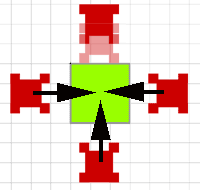
A solid tile blocks movement from every direction. A cloud tile applies collision only when the player is falling downward: the player can jump through from below, pass through from the sides, but lands on top when descending.
This selective collision is what creates the layered platform structures common in platformers — the player can reach higher platforms from below without needing a separate entry path.

Tile Types
Define tile type constants rather than sprinkling literal numbers through the code:
// Define tile types as constants
const TILE_TYPES = {
    EMPTY: 0,
    SOLID: 1,
    CLOUD: 2
};

const tileProperties = {
    [TILE_TYPES.EMPTY]: {
        walkable: true,
        solid: false,
        cloud: false
    },
    [TILE_TYPES.SOLID]: {
        walkable: false,
        solid: true,
        cloud: false
    },
    [TILE_TYPES.CLOUD]: {
        walkable: true,    // Can move through from sides
        solid: false,      // Not solid like normal walls
        cloud: true        // Special cloud behavior
    }
};

// Helper functions for tile checking
function getTileType(x, y) {
    const col = Math.floor(x / TILE_SIZE);
    const row = Math.floor(y / TILE_SIZE);

    if (row < 0 || row >= map.length || col < 0 || col >= map[0].length) {
        return TILE_TYPES.EMPTY;
    }

    return map[row][col];
}

function isCloudTile(x, y) {
    return getTileType(x, y) === TILE_TYPES.CLOUD;
}

function isSolidTile(x, y) {
    return getTileType(x, y) === TILE_TYPES.SOLID;
}
Helper functions (isCloudTile, isSolidTile) keep the collision code readable, and adding a new tile type is a matter of adding one entry to TILE_TYPES and one to tileProperties.
Cloud Platform Collision
A cloud tile is only solid when the player is falling onto it from above:
function canLandOnCloudPlatform(player) {
    // Only check when player is falling down
    if (player.velocityY <= 0) {
        return null; // Not falling, can't land
    }

    // Check both feet positions
    const leftFootX = player.x + 5;  // Slight inset from edge
    const rightFootX = player.x + player.width - 5;
    const feetY = player.y + player.height + 1; // Just below player

    // Are either feet touching cloud platforms?
    const leftOnCloud = isCloudTile(leftFootX, feetY);
    const rightOnCloud = isCloudTile(rightFootX, feetY);

    if (leftOnCloud || rightOnCloud) {
        // Calculate exact platform surface
        const platformRow = Math.floor(feetY / TILE_SIZE);
        const platformY = platformRow * TILE_SIZE;

        // Only land if falling onto platform from above
        if (player.y + player.height <= platformY + 5) {
            return platformY; // Return platform surface Y position
        }
    }

    return null; // No valid cloud platform landing
}
The three conditions for landing: velocityY > 0 (falling, not rising), the player’s feet are at the platform’s tile row, and the player’s feet are at or above the platform surface (not already embedded inside it). Checking both feet handles the case where the player is partially over the edge.
Integrating Cloud Collision
The collision function checks solid tiles first, then cloud tiles, then ceiling. Cloud tiles are never checked for upward movement:
function checkCollisions() {
    // Normal solid tile collision first
    if (player.velocityY > 0) { // Falling
        const solidGroundHit = checkSolidGroundCollision();
        if (solidGroundHit) {
            landOnSurface(solidGroundHit);
            return;
        }

        // Check cloud platform collision
        const cloudLanding = canLandOnCloudPlatform(player);
        if (cloudLanding) {
            landOnSurface(cloudLanding);
            return;
        }
    }

    // Ceiling collision — cloud tiles never block upward movement
    if (player.velocityY < 0) {
        const ceilingHit = checkCeilingCollision(); // Only solid tiles
        if (ceilingHit) {
            hitCeiling(ceilingHit);
        }
    }
}

function landOnSurface(surfaceY) {
    player.y = surfaceY - player.height;
    player.velocityY = 0;
    player.onGround = true;
}
Putting It All Together: Cloud Platform Movement
Now we need to update our movement and falling logic to handle cloud platforms correctly:
// In your main game loop
function updateMovementAndCollision() {
    handleInput();        // Process player controls
    updatePhysics();      // Apply gravity and velocity
    checkCollisions();    // Handle all collision types
    checkStillOnGround(); // See if player walked off platform
}

function checkStillOnGround() {
    if (!player.onGround) return; // Already falling

    // Check if still standing on solid ground OR cloud platform
    const leftFoot = player.x + 5;
    const rightFoot = player.x + player.width - 5;
    const groundLevel = player.y + player.height + 1;

    const onSolid = isSolidTile(leftFoot, groundLevel) ||
                   isSolidTile(rightFoot, groundLevel);

    const onCloud = isCloudTile(leftFoot, groundLevel) ||
                   isCloudTile(rightFoot, groundLevel);

    // If not on any platform, start falling
    if (!onSolid && !onCloud) {
        player.onGround = false;
        // Gravity will take over next frame
    }
}
The edge-detection check (checkStillOnGround) must test for cloud tiles as well as solid tiles, otherwise the player will float in mid-air after walking off a cloud platform. When neither foot is over a solid or cloud tile, player.onGround becomes false and gravity resumes.
Next: Ladders